Your current speed
Altitude and gradient are visible alongside it.
AURAGYM · EXPLAINED
What do I tap? What do the numbers tell me? And how does the ghost work? See it right here, with examples.
Choose your workout, start an exercise and enter what you actually did. Confirmed working sets build your history.
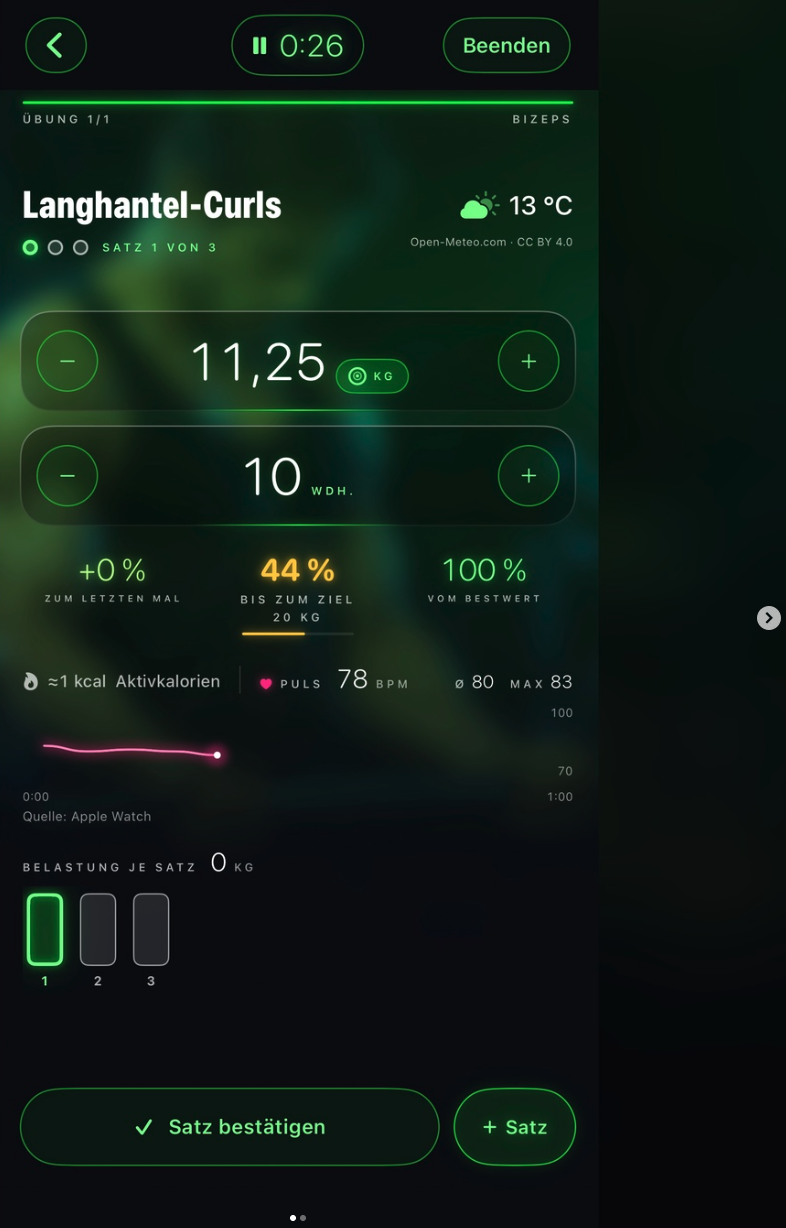
Original view in the Neon design (German app language)
Choose an explanation – the matching area is outlined in the screenshot.
Plan your workout on your phone. As soon as the plan has arrived on your Apple Watch or Wear OS watch, you do your gym workout right on your wrist.
Beforehand on your phone: mark the workout in your favourites for today or schedule it in a split. Open the app on your watch and check that your exercises are shown.
The session is saved on the watch and synced with your phone as soon as a connection is possible again.
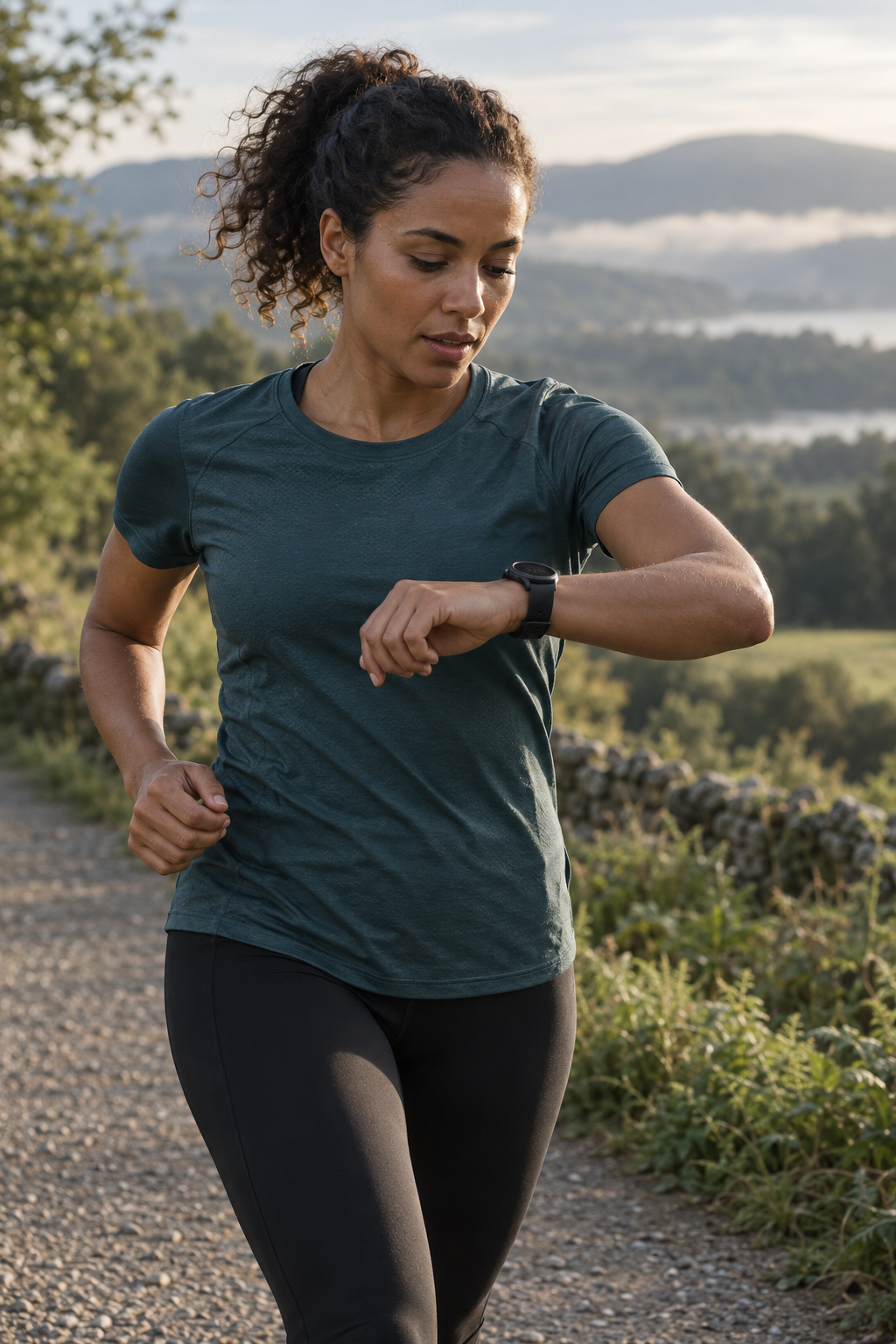
When running, your PB ghost comes from your watch. Track time, distance and pace and compare your run with your personal best.
Watch views with example values.
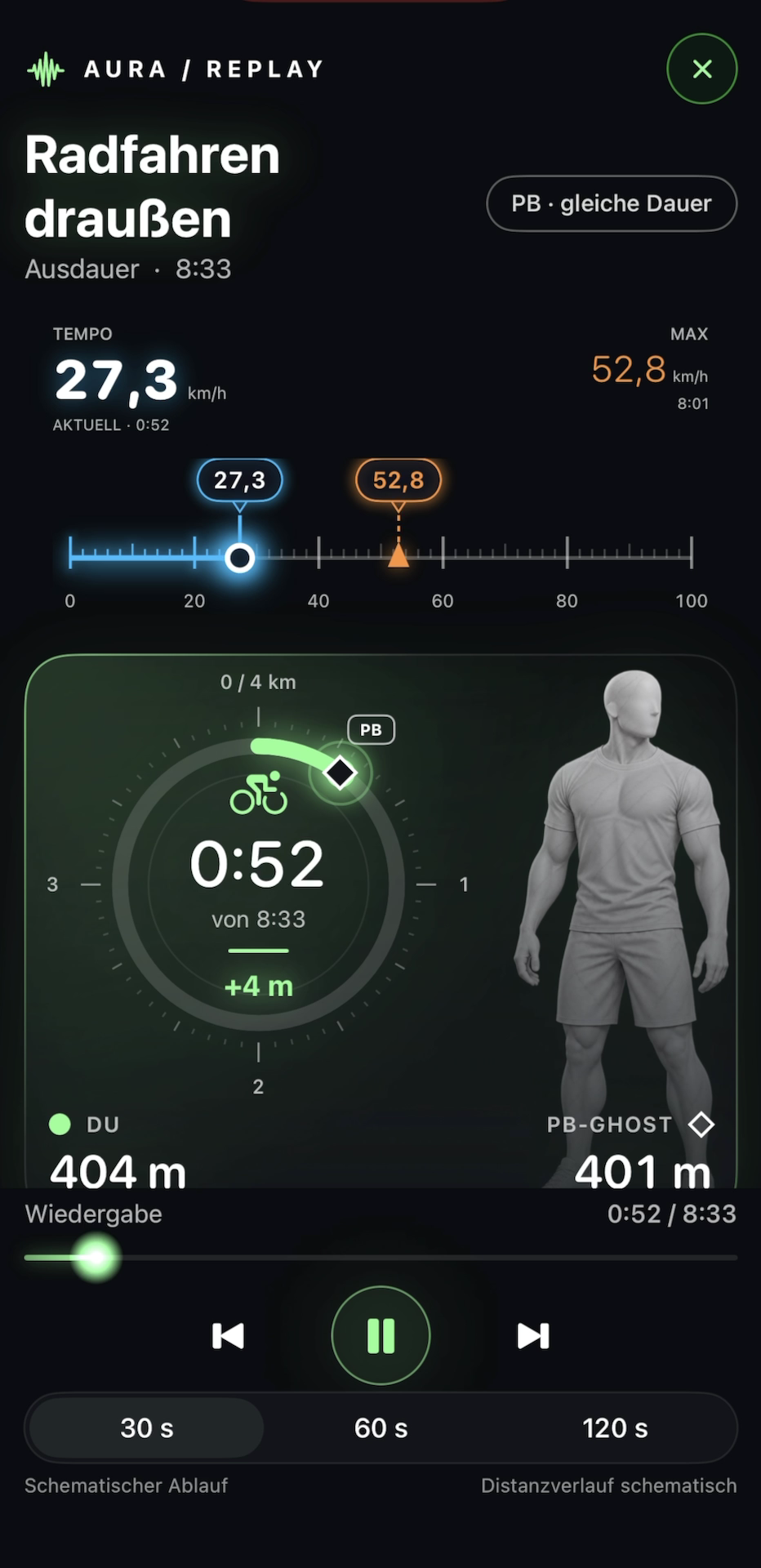
When running or cycling outdoors, you see live whether you are ahead of or behind your personal best.
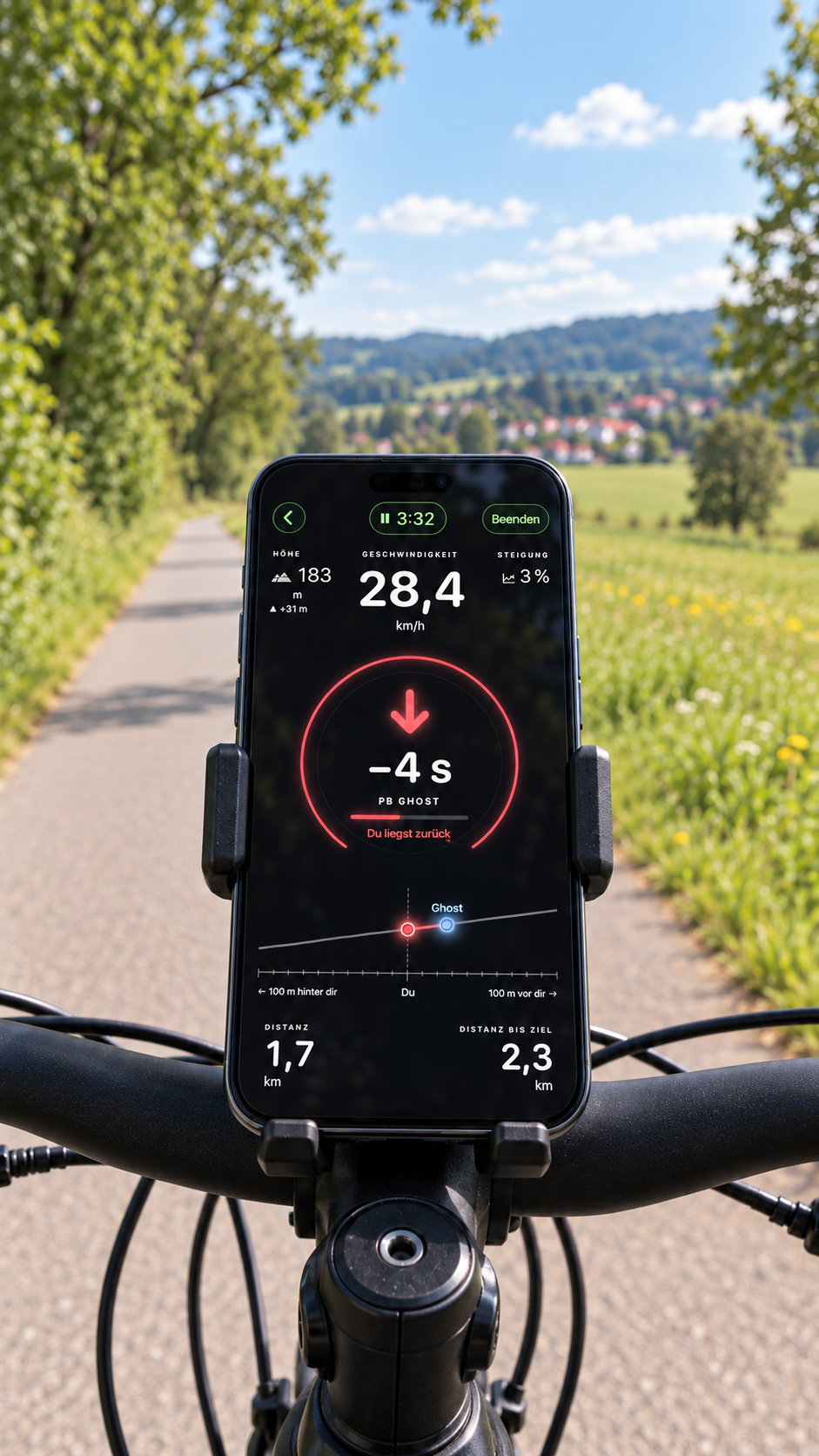
Speed, gradient and your PB ghost at a glance, with your phone mounted on the handlebars.
Altitude and gradient are visible alongside it.
The red arrow shows that you are four seconds behind.
Distance covered and distance to your goal stay visible.
Values shown in the image. Watch the original app recording ↗
When running, the ghost comes from your watch. It starts automatically after about 100 m if you start at the same place and run the same route in the same direction. When cycling, the app recognises known stretches even in the middle of a ride.
The map shows cycling: your earlier rides provide the comparison values. On the shared stretch, the fastest matching reference counts. After a junction, the ghost lines up with the way you chose.
The comparison appears as soon as your path clearly matches an earlier ride. If there is no matching recording yet, no ghost gap is shown. The map explains the principle; the routes are an example.
© OpenStreetMap contributors · Map base
During your workout, tap the small button with the plate symbol and “KG” next to the weight. Then choose the bar and the plates you have. The app shows the loading per side.
Where to find it: in the weight field.
The plate symbol with “KG” can be tapped. The calculator takes the weight you entered. In the app, the label follows your weight unit.
Try it now with 82.5 kg ↓Tap “Set goal” or the goal display. For strength training you set a weight goal; for other exercise types a distance or time goal. Optionally, add a target date.
The screenshot shows a 20 kg goal and 44% left to reach it. Tap the goal display to set or change your target.
Only confirmed performance counts. When you reach your goal weight, the app shows “Goal reached”.
to goal
80 kg lifted, 100 kg goal: 20% left. A confirmed set counts towards your goal.
A heavier weight and a higher set performance are two different things. AuraGym helps you put both in context.
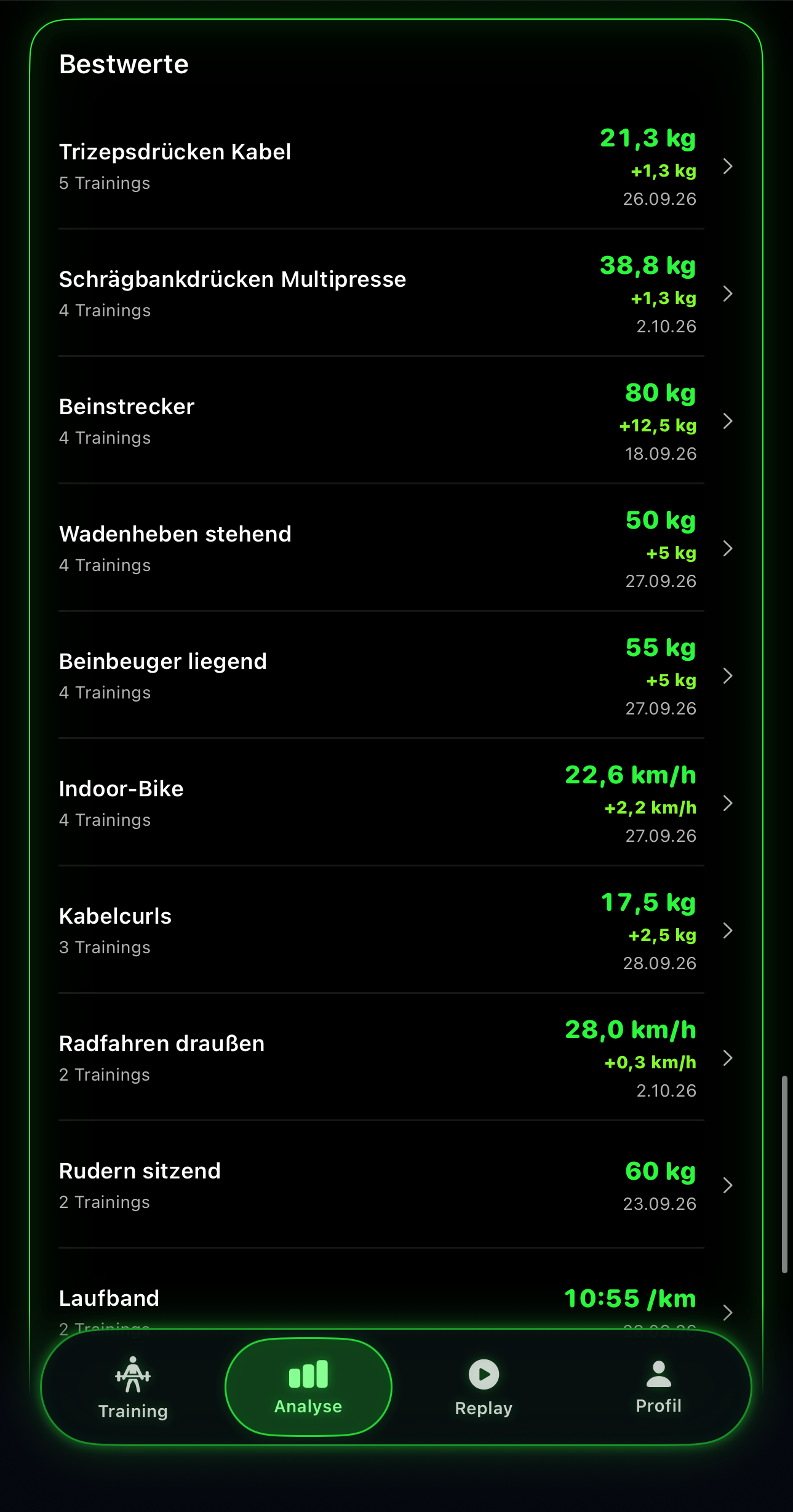
Weight, improvement and date directly in your analysis.
The reference is the heaviest weight you actually lifted in this exercise. At equal weight, the reps decide. Warm-up sets do not count towards your bests.
The same working set is compared: set 2 today against set 2 of the reference session. For strength training with weight, weight × reps counts. 100 % means the same set performance; more than 100 % means above it.
An estimated one-rep max is a separate figure. It is an estimate, not a PB you actually lifted.
Connect in a group of up to ten people. You can train at the same time in different places and with different exercises. Confirmed sets appear live for your buddies.
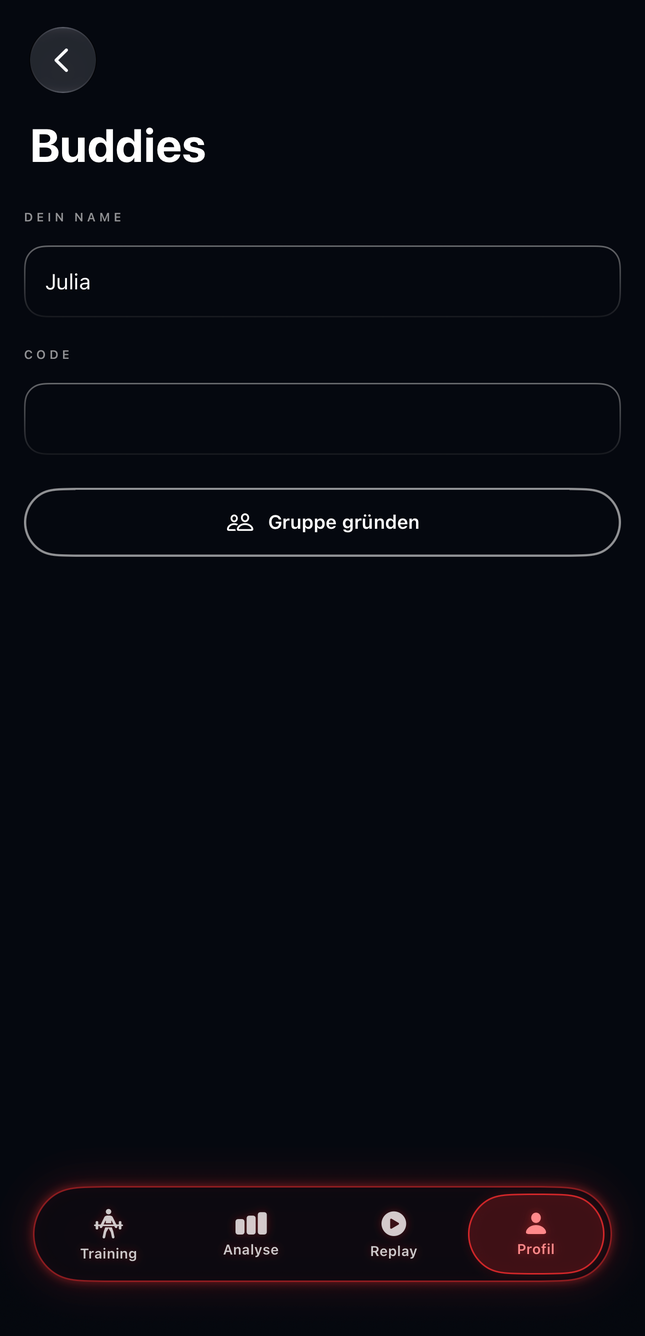
Open Profile → Buddies, enter your name and create a group.
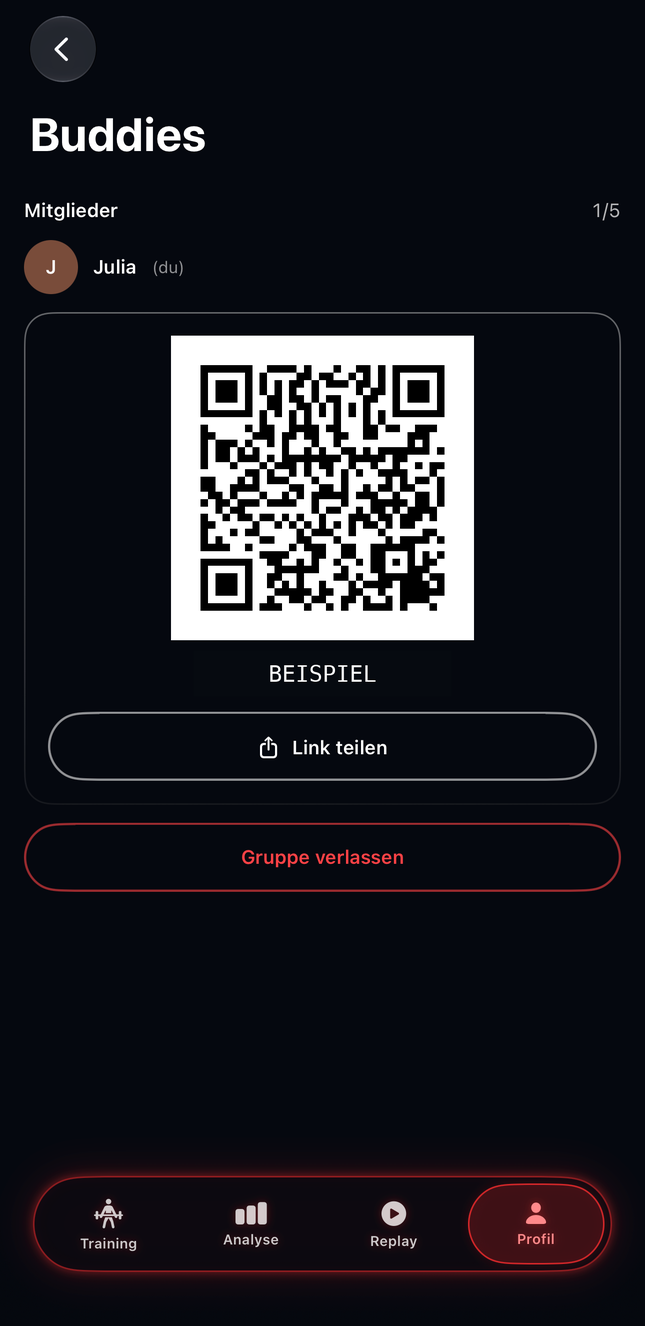
Share the invitation link or QR code. Your buddies join with their name.
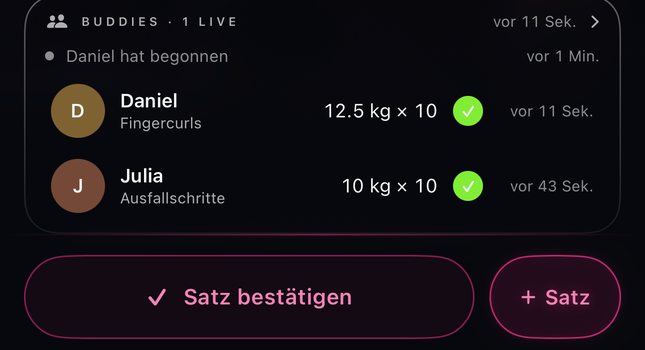
Confirm a set: your buddies see the exercise, weight and reps live.
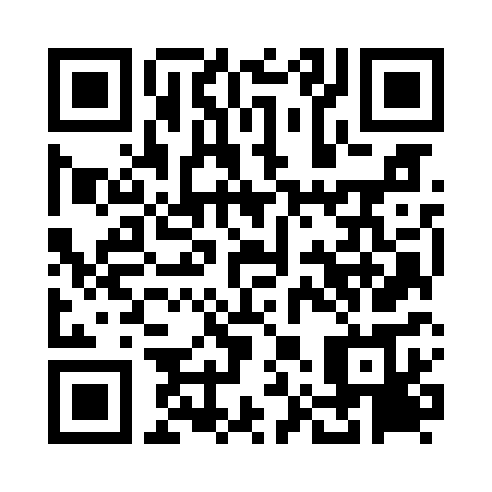 QR code
ABCD2345Enter the eight-character code under
“Profile → Buddies”.
Example: this QR code opens an explanation on our website. The group code shows the format of an invitation.
Your name, the exercise and the confirmed set – for example “40 kg × 10”. For cardio, the recorded time and distance appear. Plus workout start and end and markers for a new PB or an improvement.
✓ stands for a confirmed set. ↑ shows an improvement over the last workout. PB marks a new personal best. Under “Live” you find the last 30 events.
Under “Group” you see the members and can invite more buddies while there is a free spot. “Leave group” and then “Leave” ends your membership.
On Apple Watch, new buddy sets can appear briefly during your workout when connected through your iPhone. You need an internet connection for the live exchange. Your own workout continues independently of the buddy feed.
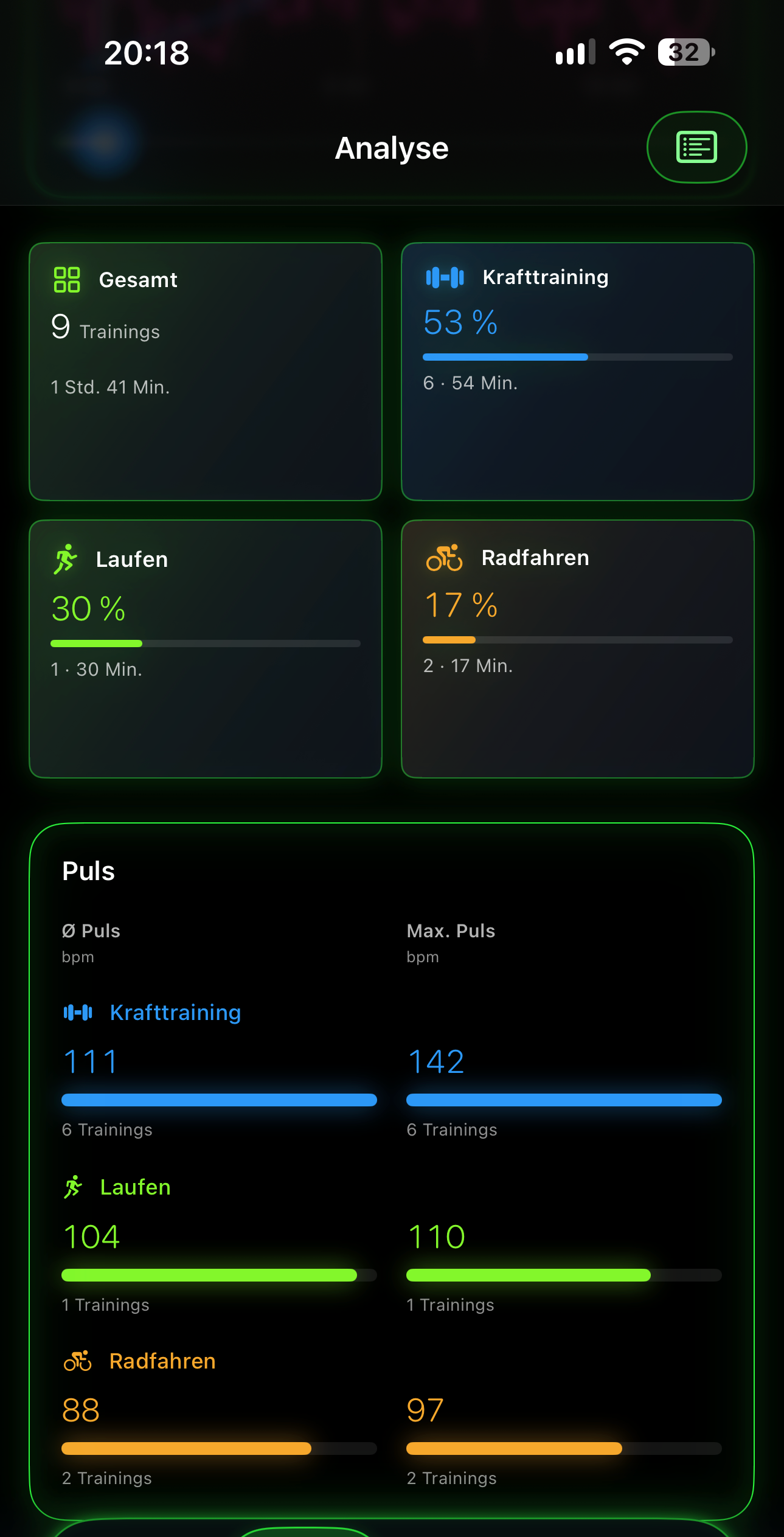
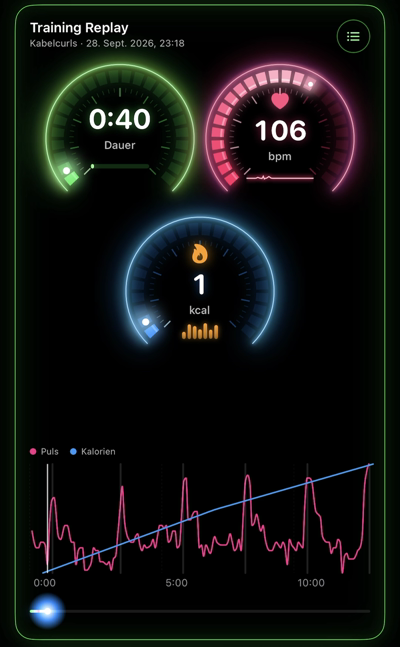
Finish your session. See your progress and replay your workout.
Your trained muscle groups, highlighted on the body. Choose this week, four weeks or twelve weeks.
YOUR TRAINING STARTS WITH YOU
Neon in your colour. Pure PaperWhite. Warm porcelain and copper. Tap a design to explore the full screen.
Choose in the app: Profile → Appearance
Choose your Neon colour freely from the spectrum.